
A first LitBuy order, stage by stage
Step by step through a first order, with each perk pinned to the moment it switches on and each condition to the moment it starts to matter.
What LitBuy is and where it sits
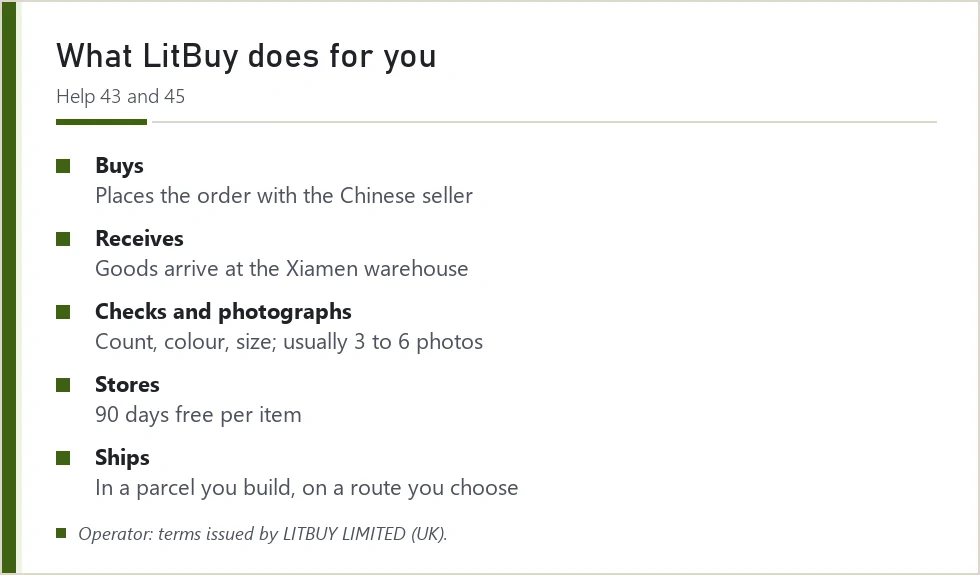
LitBuy is a shopping agent: it places orders for you on Chinese marketplaces, Taobao, Tmall, 1688 and Weidian among them. You pay LitBuy for the item and the seller's domestic shipping; LitBuy pays the seller, takes delivery in Xiamen, counts and photographs what came, holds it, and ships them abroad in a parcel you build. LitBuy's terms name LITBUY LIMITED, a UK company, as their issuer.
A LitBuy Spreadsheet sits in front of that process. It is the catalogue where you find the item. From the moment you open a listing on LitBuy, LitBuy's own rules take over, perks included.
Your first order through LitBuy, one stage at a time
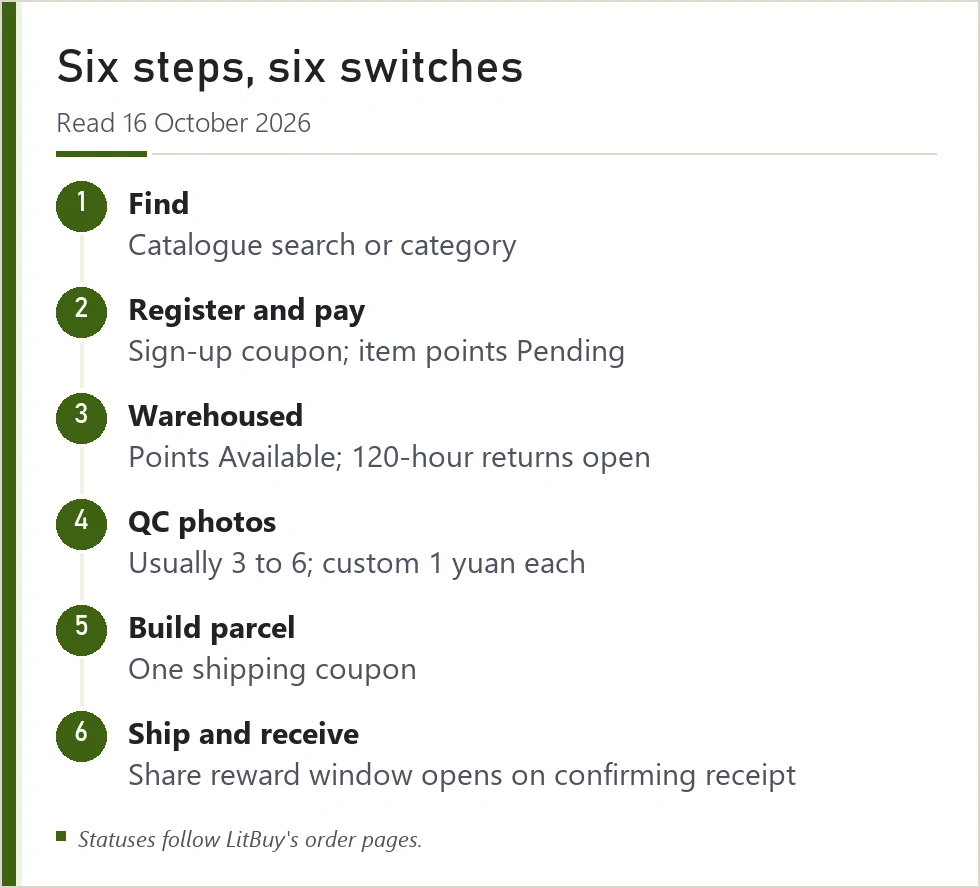
- Find the item. Search or browse the catalogue, open the listing, and check size charts and options before anything else.
- Register and pay for the item. Check Wallet for any sign-up coupon actually issued to your account. Item points appear as Pending after payment.
- Wait for warehousing. The seller ships to Xiamen. When the order shows Warehoused, item points turn Available and the 5-day (120-hour) request window opens for eligible seller-agreed returns, counted from the next full hour.
- Read the QC photos. Usually 3 to 6 per item. Order custom photos (1 yuan each, per LitBuy's help page) if you need a detail.
- Build a parcel. Pick items, address and route, then choose one shipping coupon. Storage is free for 90 days per item.
- Ship and receive. Shipping points turn Available when the parcel ships. After delivery, confirm receipt; the share reward window of 30 days starts then.
Warehouse photos and the limits of the check
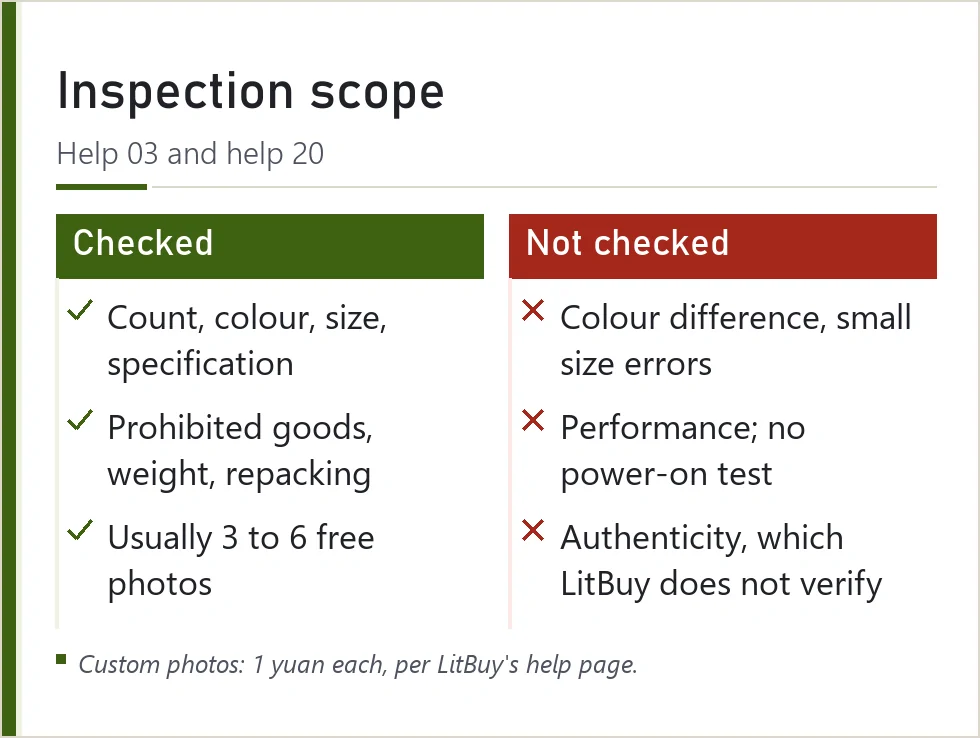
Help 03 sets the scope. The warehouse counts items and checks colour, size and specification against your order, opens parcels to look for prohibited goods, weighs them and repacks them in LitBuy bags. It does not judge colour difference, small size errors or how a product performs; electrical and digital goods are checked for outside and accessories only and are not powered on; sealed CDs, handmade items and adult products are not opened.
Help 20 sets the photos: free ones are usually 3 to 6, in normal resolution, with front, back and a side or logo view. Requested shots come in high resolution, at angles you choose, at 1 yuan each per LitBuy's help page. None of this is an authenticity check. Counterfeit and IP-infringing goods are banned by LitBuy, whose policy lets it refuse or cancel such orders, shut the accounts involved and destroy that stock in its warehouse. Separately, it tells buyers that its purchasing service gives no verification of quality or authenticity.
How to check the QC photos before you ship
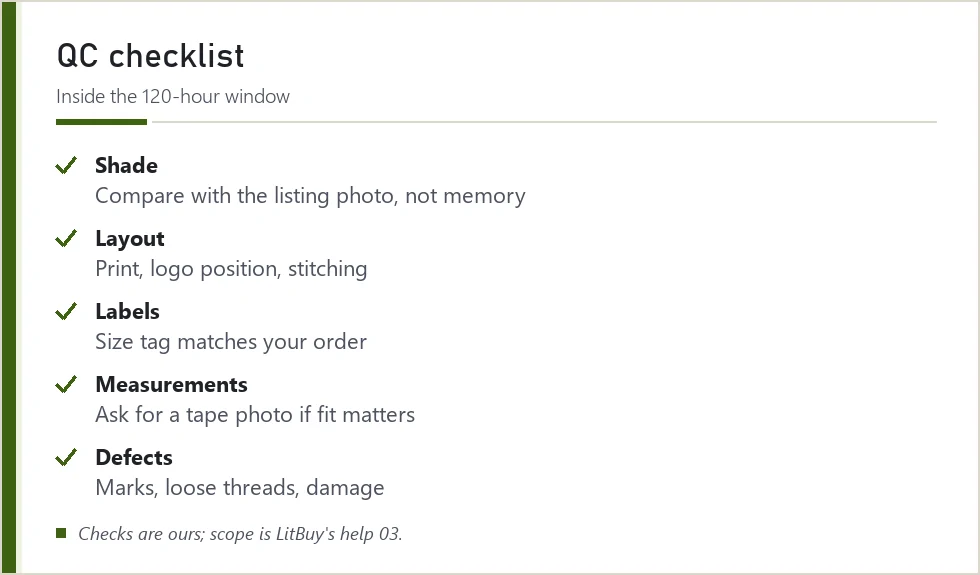
Reading QC photos is a comparison exercise. Put the listing photo and the warehouse photo side by side and check the things the warehouse does not: the exact shade under its lighting, the print or stitching layout, the label, and any measurement you care about. If a photo leaves a doubt, order a custom photo of that one spot rather than a new full set.
Do this inside the 120-hour return window. Once an order passes Warehoused plus 5 days, a seller return becomes a negotiation. And do it before any share reward; rule 3 settles quality and appearance as accepted.
Finish the product check before making a reward decision
Use the stored item’s photos to check the selected variant, count, size label and visible condition. Request a specific measurement or angle when the supplied set leaves a real question. The warehouse check is visual; it cannot establish authenticity, long-term durability or complete device function. Report a discrepancy through the item order while the relevant remedy remains available.
Keep that process separate from posting a haul or applying for a reward. A public photograph and an after-sales submission serve different purposes. Once the goods are acceptable, choose packing and compare suitable shipping routes for the actual parcel. Save the item and parcel evidence until delivery is resolved, then read the participation terms for any optional sharing programme.
Shipping routes, customs and delivery time
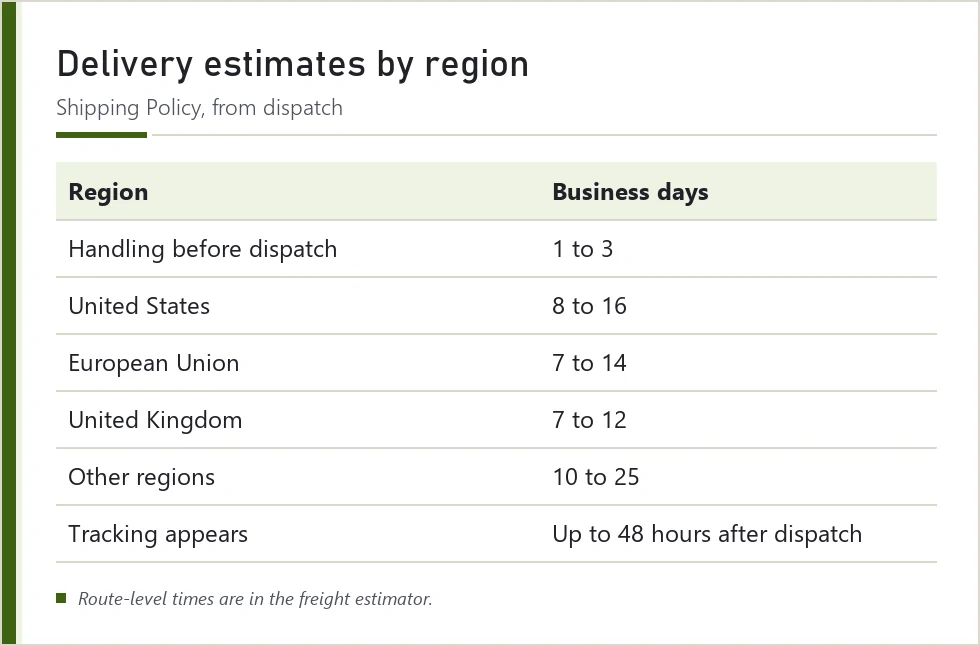
LitBuy's freight estimator lists routes by destination, weight and product type, with a time window and price for each. Prices are charged on chargeable weight: the larger of actual weight and volume weight, and some routes use actual weight only. LitBuy's Shipping Policy gives regional estimates from dispatch of about 8 to 16 business days for the US, 7 to 14 for the EU, 7 to 12 for the UK and 10 to 25 elsewhere, after 1 to 3 business days of handling, with tracking appearing up to 48 hours later.
Customs follow the route. On routes LitBuy labels TAX FREE, its Shipping Policy puts clearance and taxes on LitBuy; elsewhere the recipient settles them. For the EU, a LitBuy notice of 24 June 2026 says it charges a fixed EUR 3 per parcel for the new per-category duty. No coupon touches customs charges.
After delivery: claims, returns and the reward, in that order
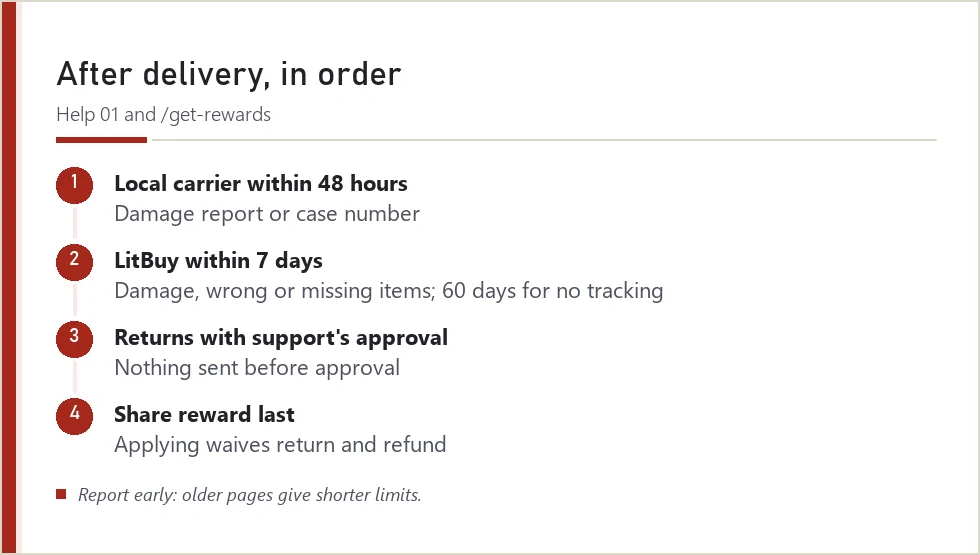
If something is wrong, LitBuy's after-sales article (updated 7 July 2026) has two steps in sequence: within 48 hours of the parcel showing Delivered, complain to the local carrier and obtain its damage report or a case reference; also open a LitBuy request within 7 days starting the day after Delivered if goods are broken, wrong or short; do not wait for the carrier’s decision, or inside 60 days from the final tracking event if the parcel stalled. It asks for a continuous, unedited unboxing video, and the box and tape kept until the case is closed. Older LitBuy pages give shorter limits, so report early.
Returns after delivery need support's approval before anything is sent. Only when both of those are settled is it safe to think about the share reward, because applying for it waives return and refund on the order.
Next set of terms: Picking a site, seller and agent
The official buying screens, in order
LitBuy’s tutorial retained on 16 October 2026. These are older interface examples, not current price or availability quotes. Expand the stage you need; every image links to its original size.
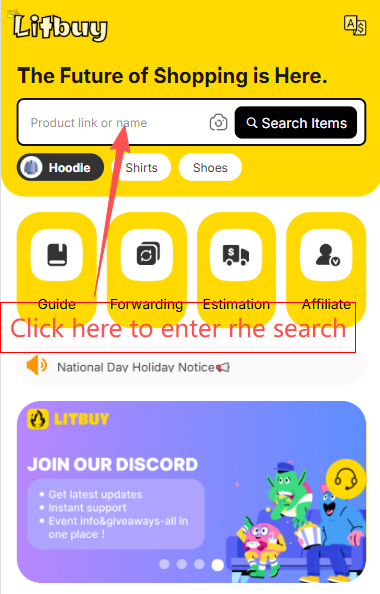
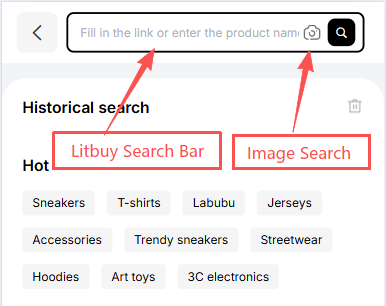
1. Find an item
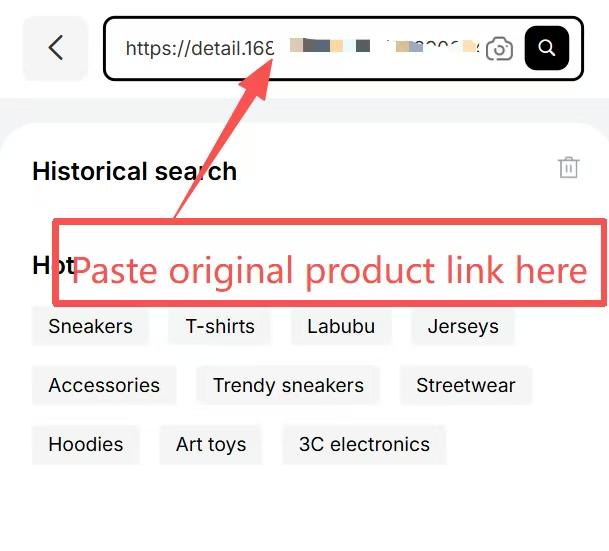
Search by product name, seller link or image. The catalogue helps you discover a listing; check the original seller page before ordering.
2. Create the order
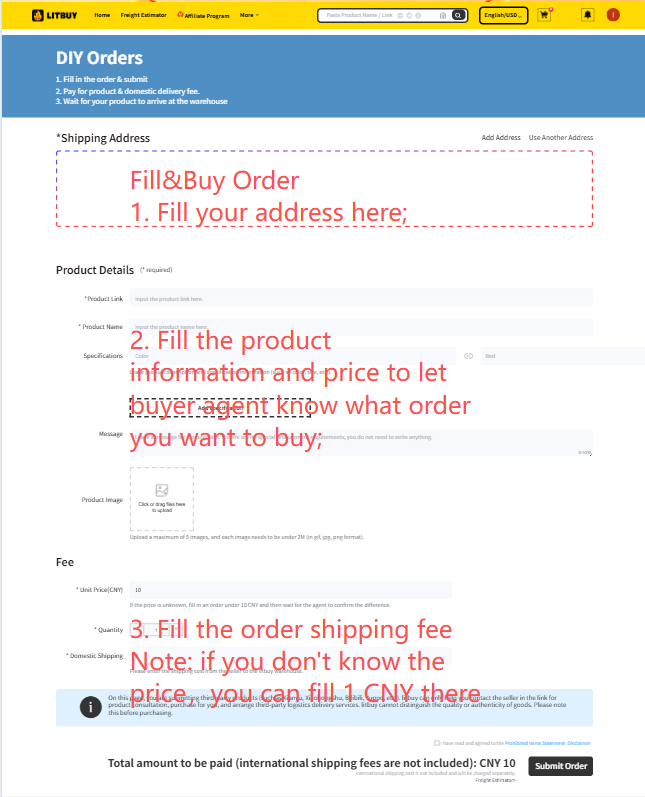
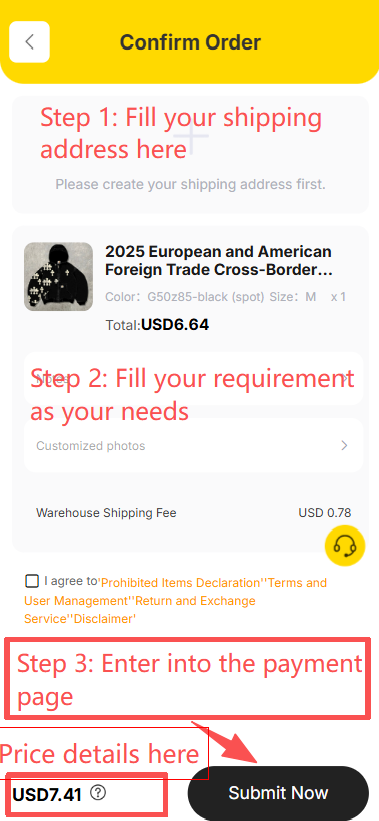
Paste a supported seller link. Use Fill&Buy for a supported listing that cannot be read directly, and confirm the final price. The official article repeats the Fill&Buy screen in images 4 and 5; it is not an extra order step.
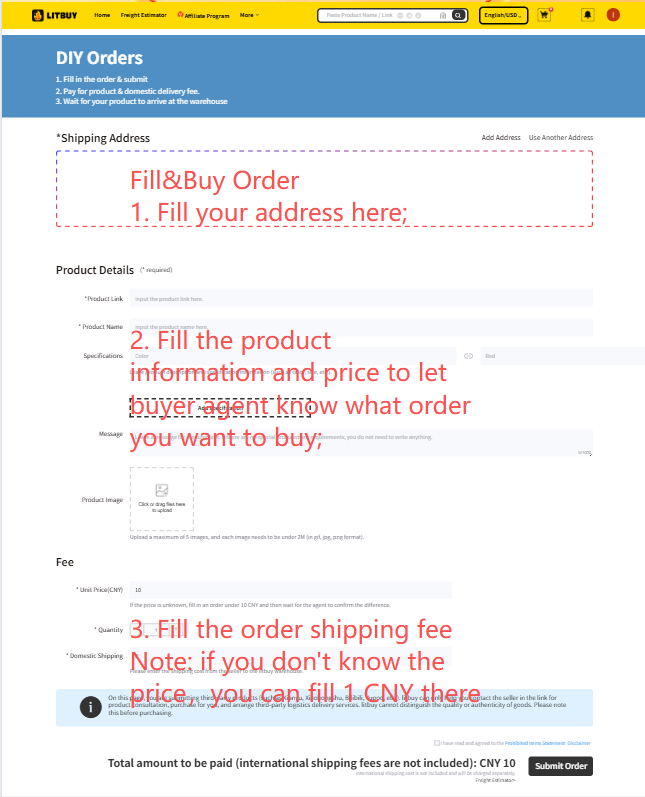
3. Choose, confirm and pay
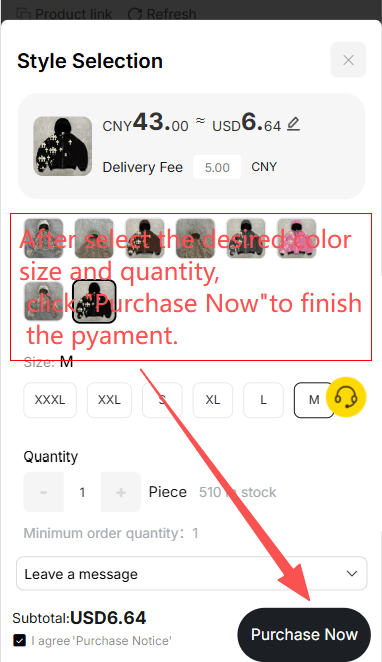
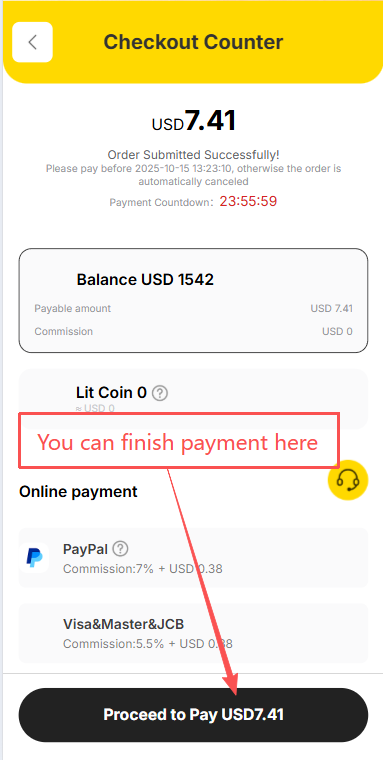
Select the correct variant and quantity, enter instructions, review the destination and pay for the goods and domestic shipping. The screenshot sequence shows variant selection, confirmation and checkout; these screens are offset from some headings in the official article.
4. Follow the seller order
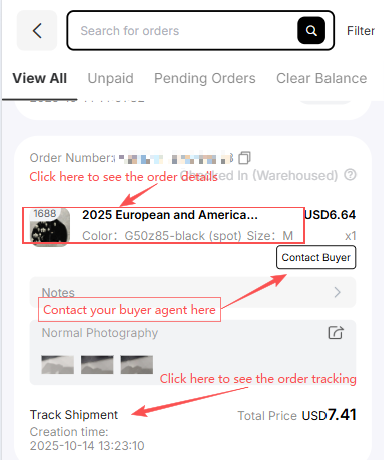
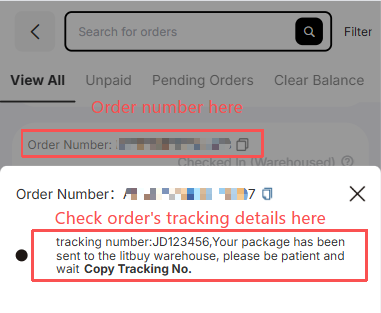
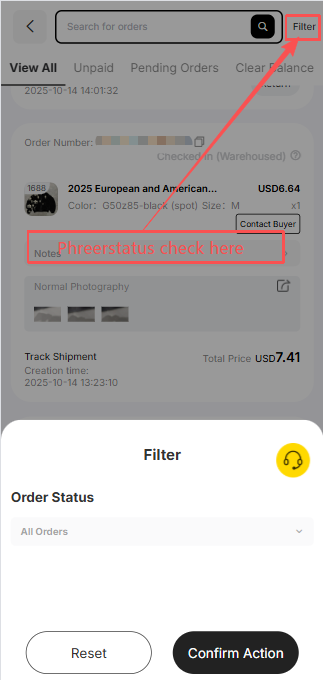
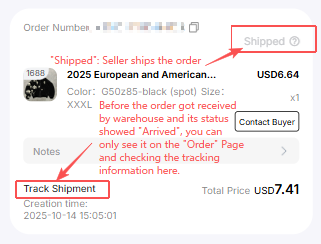
Use Orders to contact the buyer, inspect tracking and filter status. Seller shipment goes to the Chinese warehouse first. Arrival at the delivery point is not yet completed inspection or storage.
5. Inspect stored goods
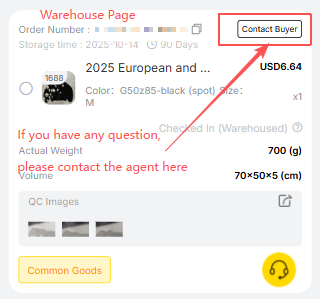
The Warehouse screen shows measurements, QC photos and the buyer contact. Check the actual variant and visible condition promptly, while a seller-agreed return may still be possible.
6. Create and pay for a parcel
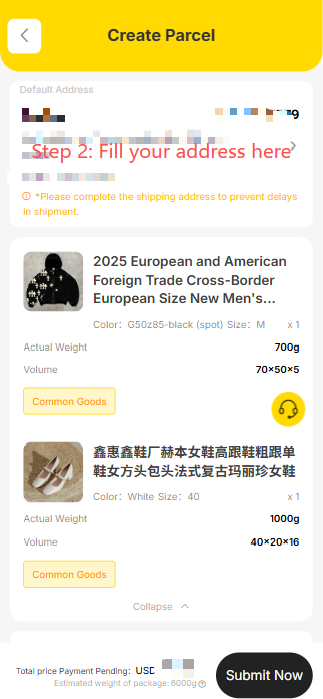
Select stored goods, enter the recipient, choose packing and an eligible route, then check any coupon conditions and pay the shipping estimate. Confirm restrictions for the complete parcel.
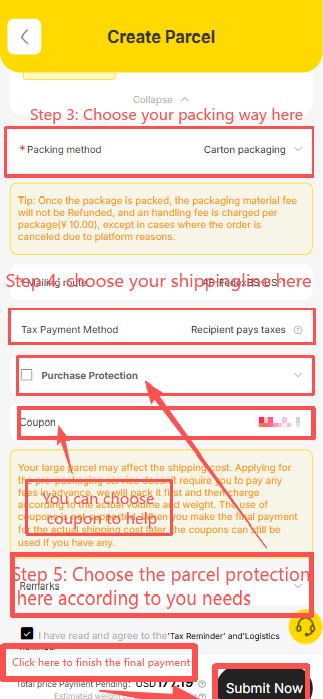
7. Follow international shipping
The Parcel page records the dispatched parcel and support contact. Final packed weight and dimensions may change the shipping settlement; pictured prices and routes are examples.
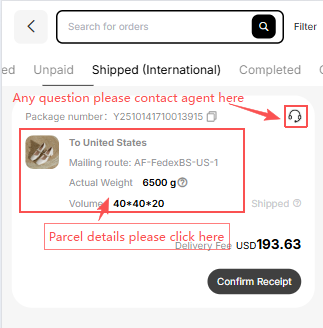
8. Confirm actual receipt
Inspect the parcel and keep evidence before confirming actual delivery. Report a problem through the relevant carrier and LitBuy procedure promptly.
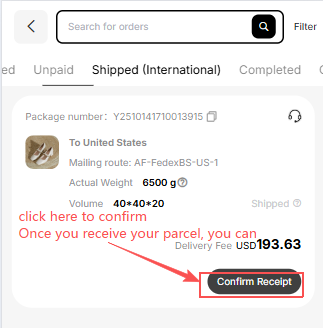
Official How to Use LitBuy article. Its nine status milestones are Order Submitted → Order Placed → Seller Shipped → Arrived at Warehouse → Inspection & Storage → Shipping Requested → Parcel Packed → Shipped → Delivered & Confirmed. Processing times in its summary and detailed text differ; follow the status of your own order.